Pikmin 3 – Rock Pikmin & Brittany

It’s day 3 in the world of Pikmin 3, and I blasted off to the Garden of Hope. Playing as Alph, I walked past an electric fence I can’t get past yet. I only have red Pikmin at this point; they’re immune to fire, but not electricity. I soon found where my fellow space explorer Brittany was trapped, but I couldn’t reach her due to a crystal wall in the way. I had no choice but to continue exploring.

I soon came across a strange flying creature that appeared to have something inside of it. I threw my red Pikmin up at it, eventually defeating it. Its contents fell out…they’re rock Pikmin! They’re strong and heavy enough to break through crystal. So I returned to where Brittany was trapped and used the rock Pikmin to break through and free her.
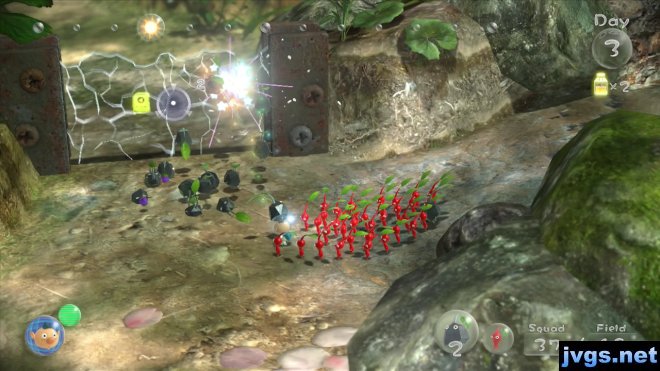
p3-crystalWith Brittany free, I was now able to split up into separate groups. By having Alph throw Brittany and some Pikmin onto a ledge, she was in turn able to throw Pikmin up even higher to reach a lemon. Us aliens really like the fruit juice, you see. To advance further, I needed my Pikmin to assemble a bridge. Some of the pieces were in plain sight, while others were trapped inside a crystal. Naturally, I needed to use rock Pikmin to break through the crystal to reach them. After the bridge was assembled, I then came across some enemies that spew fire. I knew I had to bring only my red Pikmin into this battle.
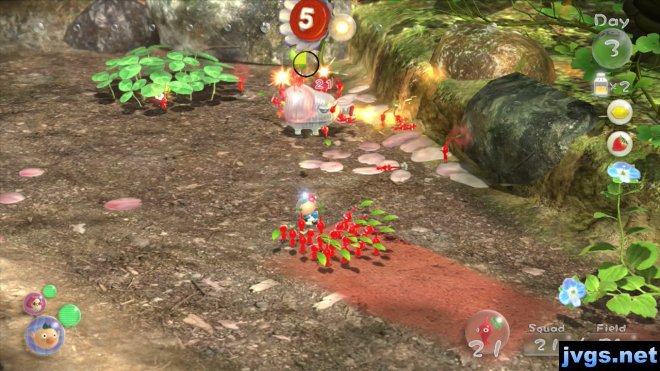
p3-fireAfter that, I spotted some new pieces that needed to be assembled to make another bridge. Unfortunately, the day was starting to come to a close, so I had to round up all my Pikmin before the sun went down.

I am slowly getting accustomed to the controls and I’m having a lot of fun with the game. Next time, I need to give it a longer play session. But for now, here is a gameplay video showing most of today’s action:
Animal Crossing Plaza – Wii U

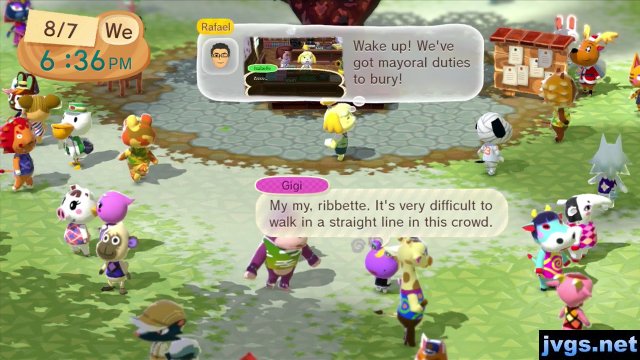
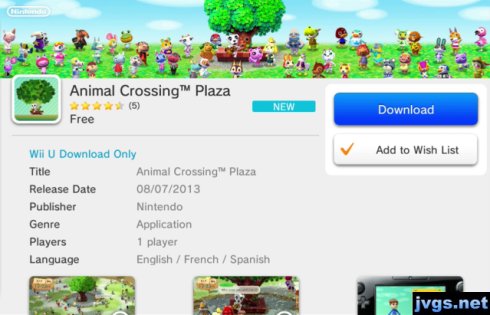
In today’s Nintendo Direct video, Nintendo announced Animal Crossing Plaza. It’s a free eShop download for Wii U that is much like the WaraWara plaza, but instead of Miis, the plaza is populated with Animal Crossing characters.

Download Animal Crossing PlazaFrom here, you can access a new Animal Crossing news community on Miiverse, where you can post about the Animal Crossing games and view others’ comments as well. For unknown reasons, the Animal Crossing Plaza will only be available through the end of 2014. Here is a video showing what it’s like. At the end of the video, I take a look at the new Animal Crossing message boards on Miiverse as well.

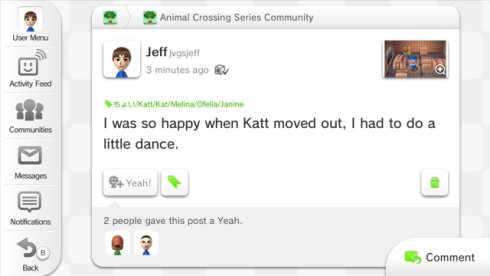
You can set up your profile to display your Animal Crossing New Leaf name, town, and dream address. You can also choose your favorite character to represent yourself. Unfortunately, not all of the characters will be in the plaza every time, so you may need to load up the plaza several times before you’re able to find your favorite. You can also upload your pictures taken in ACNL by putting your 3DS SD card into your Wii U, and attach those pictures to messages you post. Here, I posted about how I was happy when the character Katt moved out of my town, and I attached a picture I took of me dancing in her house.

acplaza-kattWhile the plaza is essentially just a glorified message board, it’s definitely something Animal Crossing fans will want to check out and enjoy. And it’s a free download, so why not?

Animal Crossing Plaza screenshotAnimal Crossing fans, also remember to check out Jeff’s New Leaf Blog, which I update regularly. And if you’d like to follow me on Miiverse, my Nintendo Network ID is jvgsjeff.

UPDATE: I just wanted to mention that since this blog entry was written, Nintendo has added the ability to register your town residents. This way, they will appear every time you load up the plaza. Pretty cool.

Pikmin 3

It’s been nine long years since Pikmin 2 was released, and finally, Pikmin fans have a new game to play. Pikmin 3 has just been released for Wii U and I picked it up today. Once I put the disc in, it downloads and installs an update. That took several minutes, and then I started watching the opening sequence. The first thing that struck me is that the characters speak gibberish. Is Nintendo still stuck in the days of Banjo-Kazooie on N64? Maybe it’s just me, but I’d prefer actual language over “Arry, arry? Oo too roo umplin, wah wah.”

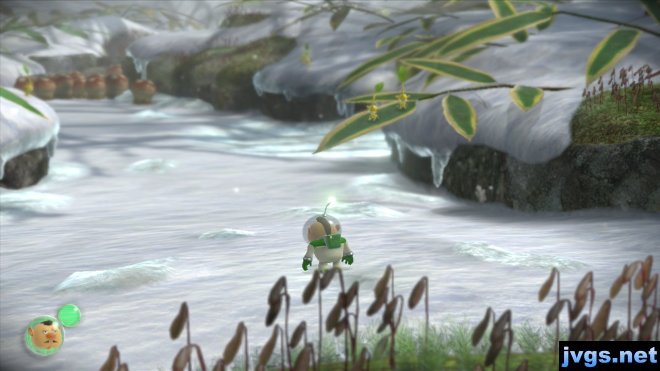
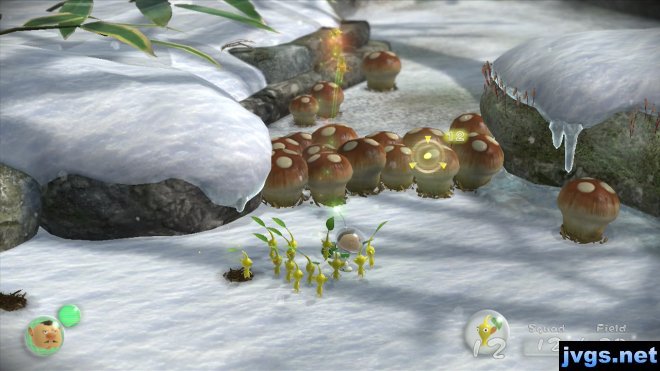
Pikmin 3 - Charlie screenshotAnyway, you start out as Captain Charlie. Your team has three characters, but all three begin the game in separate locations after a crash landing. Charlie stumbles onto yellow Pikmin very early on. You make your way through a snowy area, using Pikmin to clear away mushrooms that block your path.

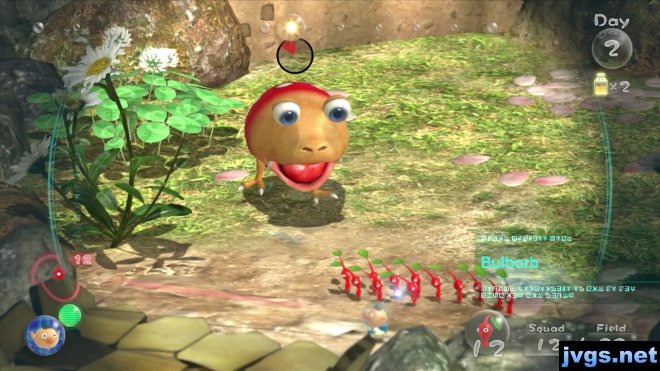
p3-yellowAfter Charlie reaches a certain point, you switch to controlling Alph instead. He finds red Pikmin at his location. Much as in earlier games, you will order the Pikmin to build bridges, destroy walls, push boxes, and defeat enemies. And when need be, run for your life.

p3-redYou can control the game with a Wii remote and nunchuk, or you can use the Wii U gamepad. So far, I’ve only tried it with the gamepad. It seemed like gamepad controls would be most similiar to the controls of the original GameCube games, which used two sticks. Unfortunately, Nintendo hasn’t tried to keep the same control scheme. I’m used to pressing B to whistle for Pikmin, and now I have to use ZR. And the right stick is not used for directing the Pikmin like it was in the GameCube games, so the controls are going to take me a while to get used to. So far, I haven’t seen an option to customize the gamepad controls.

But controls aside, I am enjoying the game so far. I’ve only played two “days” of gameplay, and the first day is just a tutorial, so I’ve barely scratched the surface.  I’m looking forward to delving deeper into the game in the weeks ahead. I’ll be sure to update my progress from time to time, so be sure to check back!